
7 Best WordPress Security Plugins for Beginners (Easy to Use)

Keeping a WordPress website secure isn’t just about using a good theme or hosting. Because every day, websites face bots, malware, spam, and various types of unauthorized login attempts.
You don’t have to be a security expert to keep your WordPress website secure.
A good security plugin can handle many important security tasks for you, including malware scanning, login protection, firewall rules, and security monitoring.
In this lesson, I’ll explain the 7 best WordPress security plugins for bloggers and affiliate marketers, and also explain what each one does, who it is best for, and how it works.
Why Do You Need a WordPress Security Plugin?
Currently, about 43% of the world’s websites are built on WordPress. However, outdated plugins or themes, weak passwords, and incorrectly set security options can put your website at risk.
But a WordPress security plugin makes it easy to monitor and secure your website, even if you don’t have advanced technical knowledge.
The right security plugin can help you:
- Detect malware and malicious files
- Block suspicious bots and traffic
- Secure WordPress logins
- Protect against brute-force attacks
- Monitor changes to important files
- Strengthen WordPress security settings
Think of a security plugin like your home security system. Your web hosting provides the foundation for your website, and a security plugin adds an extra layer of protection around it.
Quick Comparison Of WordPress Security Plugins
|
Plugin |
Malware & Firewall Scanning |
Best For |
|
Wordfence |
Yes |
All-around protection |
|
Sucuri Security |
Yes |
Monitoring & auditing |
|
Solid Security |
Limited |
Login protection |
|
AIOS |
Limited |
Free security controls |
|
WPScan |
No |
Vulnerability detection |
|
MalCare |
Yes |
Malware protection |
|
Jetpack Protect |
Defend On Plan |
Simple vulnerability protection |
You should keep your WordPress, plugins, and themes updated, use strong and unique passwords, enable two-factor authentication if possible, and take regular backups.
Best WordPress Security Plugins for Beginners
You don’t need multiple security plugins to keep your WordPress website secure. Because using multiple plugins of the same type creates conflicts and additional stress, it’s best to choose a reliable plugin.
Here are seven popular WordPress security plugins discussed.
#1. Wordfence Security
Wordfence Security is an advanced and powerful WordPress website security plugin. It combines a firewall, malware scanner, login security, and security alerts, so even new users can manage a variety of important security-related tasks from a single dashboard.
Wordfence is much easier to set up and configure than other plugins. Once you understand what they do, you can access the advanced and premium settings of your website.
Key features:
- Malware scanning and firewall protection
- Brute-force attack prevention
- Two-factor authentication and login monitoring
- Vulnerability checks and security notifications
- Country blocking available on supported plans
Limitations:
- Some advanced features require a paid plan.
- The extensive settings may take time to understand.
Our take: New WordPress bloggers and affiliate marketers choose Wordfence as a prime option to secure their websites.
#2. Sucuri Security
Sucuri Security WordPress plugin is a specialized security plugin that keeps your website safe in the security world. It helps you perform security activities on your website, detect important changes, and find potential issues.
However, the free WordPress plugin is not enough to get full services; you need to go for the Pro plan and you can get more features.
Key features:
- Monitors and audits WordPress security operations
- Protects files by detecting unexpected changes
- Scans your website for malware
- Sends necessary security alerts
- Helps to strengthen the system and provide post-hack support
❌Limitations:
- Some advanced security tools are not included for free.
- It may take some time for beginners to explore and understand its features.
Our take: If monitoring and security audits are important to you, Sucuri is something to consider.
#3. Solid Security
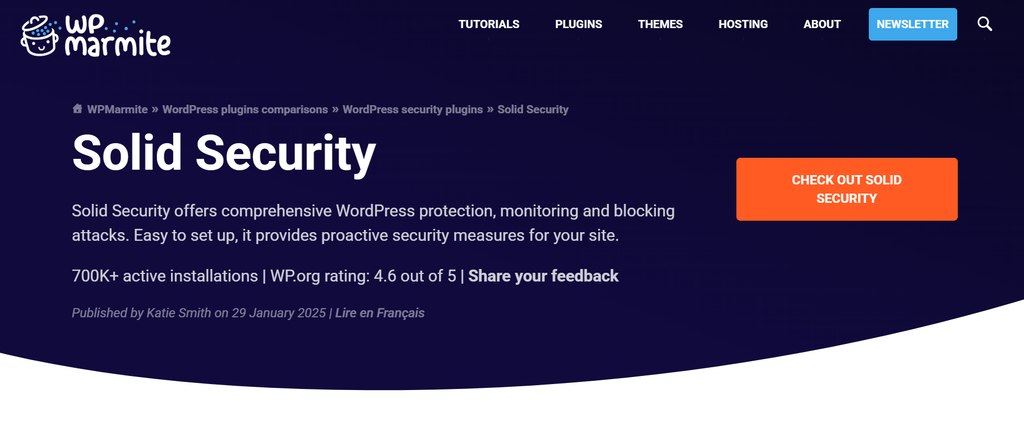
Solid Security helps you easily manage security-related tasks in WordPress. Its main goals include login security, protection from vulnerabilities, and hardening security. This allows beginners to improve their website security without having to understand every technical concept.
However, advanced options should always be enabled with caution. If you are not familiar with a setting or its potential effects, review the documentation before enabling it.
Key features:
- Login protection and two-factor authentication
- Password security with user account controls
- Vulnerability detection and WordPress hardening
- Trusted device features on supported plans
- Simple, beginner-friendly security setup
Limitations:
- Some advanced program options are reserved for paid plans.
- Newbies may need additional guidance when configuring certain technical settings.
Our take: If your main priority is improving WordPress login and account security, then Solid Security is a good choice.
#4. All-In-One Security (AIOS)
AIOS or All-in-One Security is a special plugin for improving the security of WordPress websites. Its features include areas such as login security, firewall protection, spam prevention, database security, and basic hardening.
The best part is the free control that makes it suitable for beginners. However, AIOS has a lot of configuration options, so it’s best to make changes gradually. Instead of turning on everything at once, focus on the most important settings first.
Key features:
- Login lockdown and brute-force protection
- Firewall security with multiple CAPTCHA options
- Keeping user accounts secure and database secure
- Spam prevention and file security features
- Security score with useful free protection options
Limitations:
- Some settings may seem confusing at first.
- Understanding advanced configurations requires time and knowledge.
Our take: AIOS is a good option for complete beginners who want advanced security controls without spending a dime on premium security services.
#5. WPScan
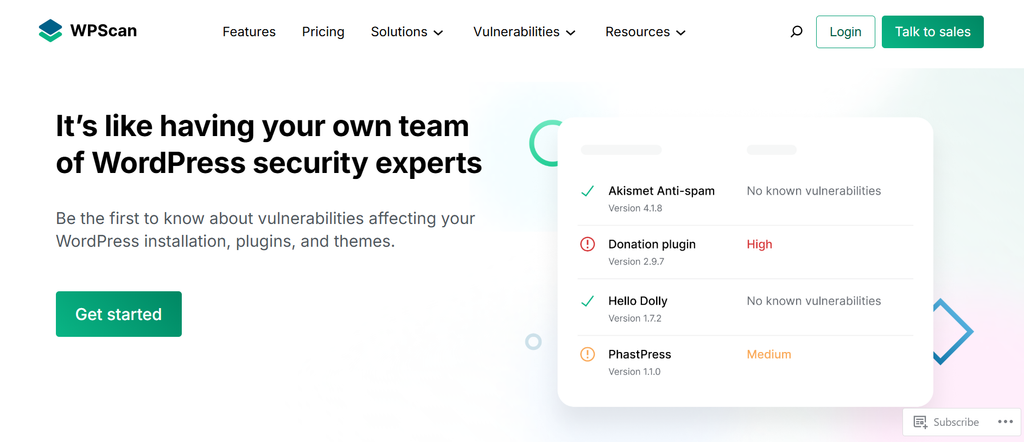
WPScan provides a free black box-based approach to WordPress security plugins. It is primarily designed to detect known vulnerabilities in WordPress core, plugins, and themes.
This allows you to check for any known security issues in installed components. Since outdated software can expose a website to unnecessary risks, regular testing can increase security awareness.
Key features:
- Vulnerability scanning with WordPress Security Check
- Identify vulnerabilities in plugins and themes
- Vulnerability testing in WordPress core
- Helps improve security awareness and monitoring
Limitations:
- Doesn’t provide full website protection.
- May require technical knowledge to use effectively.
Our take: WPScan is especially useful if you want to know if there are any known security vulnerabilities in your WordPress components.
6. MalCare
In terms of WordPress security, MalCare places special emphasis on malware and firewall scanning. Its user-friendly interface makes scanning websites and managing security features quite easy.
Using this places comparatively less strain on your WordPress website. However, if any malware is detected during the scan, it is crucial to thoroughly investigate the files before deleting them to ensure the website is not damaged.
Key features:
- Malware scanning and easy website security checks
- Malware removal available on eligible plans
- Firewall protection, login security, and monitoring
- Simple interface with beginner-friendly management features
Limitations:
- The free version has some feature limitations.
- You need a paid plan to access some advanced security tools.
Our take: If malware detection and removal are your primary concerns, you might want to consider MalCare.
#7. Jetpack Protect
Jetpack Protect provides an easy way to monitor common WordPress security issues. Its main goal is to help website owners identify vulnerabilities without any advanced technical configuration.
If you are already using other security plugins instead of Jetpack Services, this can be a convenient addition to your existing setup. It makes managing security features much easier.
Key features:
- Vulnerability scanning and security monitoring
- Malware-related protection available on supported plans
- Brute-force protection via Jetpack service
- Simple interface with easy-to-use security tools for beginners
Limitations:
- Some features require paid plans
- May not provide the depth of controls some advanced users want
Our take: Jetpack Protect is a convenient option if you prefer a simple security experience rather than managing dozens of technical settings.
How May I Use a WordPress Security Plugin?
After COVID, in 2021, I started my WordPress journey. At that time, I was still learning the basics and exploring how websites worked. One day, I watched a YouTube video about WordPress security, and it introduced me to the importance of using a security plugin.
I learned that security plugins can protect WordPress websites in several ways, including login protection, malware scanning, and vulnerability detection.
Go directly to Plugins → Add New Plugin and search for “Security.” Before installing and activating the plugin, check its rating, installation, and update history.
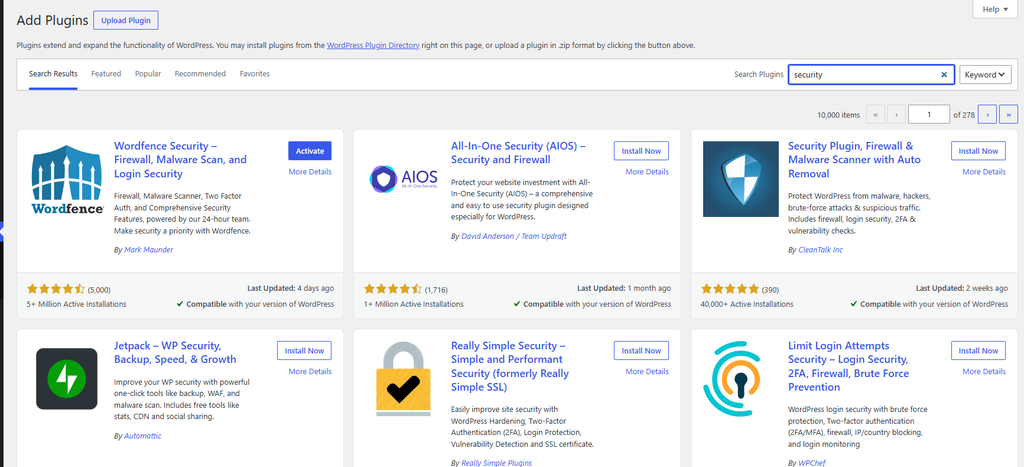
If you’re a beginner, take a simple approach to WordPress security. Enable essential protections, update your website regularly, and avoid unfamiliar advanced settings.
Simple Ways to Secure WordPress Without a Plugin
Security plugins are important for keeping your WordPress site secure, but you shouldn’t rely on plugins alone.
Here are some simple habits that can make a big difference.
- Keep WordPress Updated: Don’t ignore WordPress updates. Keep your WordPress core, themes, and plugins updated regularly for improved security and stability.
- Use Strong Passwords: Never use passwords that are easy to guess, such as “123456,” “password123,” etc. A long password manager can also help you store it securely.
- Enable Two-Factor Authentication: two-factor authentication adds an extra layer of security to your WordPress account. Even if someone knows your password, they won’t be able to log in without completing the second step of authentication.
- Delete Unused Plugins: Don’t let unused plugins pile up on your WordPress website. Deactivate and delete any plugins you no longer use to keep your site organized.
- Avoid Nulled Themes and Plugins: Not install and use premium WordPress themes or plugins from unknown websites that you get for free. These usually involve modifying the software to add malicious code or hidden backdoors. Use a free theme if necessary. Keeping your website secure is more important than saving a few bucks.
- Use a Trusted Hosting Provider: Good website security starts with a trusted hosting provider. Choose a hosting provider that offers features like SSL certificates, backups, server-level security, and malware protection. Examples include Hostinger, Bluehost, and SiteGround, which are perfect for bloggers and affiliate marketers.
- Create Regular Backups: If something goes wrong with your website, a good backup can help you quickly get back to the previous state. So it’s always a good practice to keep backups separate from your live site. Use the best WordPress backup plugin like UpdatePlus.
- Protect Your Admin Account: give everyone administrator-level access to your WordPress website. Use appropriate user roles for each task to keep your website secure.
- Don’t Install Multiple Security Plugins at a time: Avoid installing multiple security plugins just for extra protection. For beginners, it’s usually a good idea to use a main security plugin along with strong passwords, regular updates, and other security measures.
Frequently Asked Questions
Does WordPress need a security plugin?
Having a security plugin for a WordPress website is not mandatory, but it can make monitoring and protecting your website’s additional security much easier.
What is the best WordPress security plugin?
Wordfence is an excellent overall choice for all WordPress users, as it provides security, malware scanning, login security, and other useful features all in one place.
The best plugin depends on your needs. If you focus more on vulnerability detection, you may prefer WPScan, otherwise MalCare may be the best choice for malware-focused protection.
Can I use two WordPress security plugins?
No, you should not install multiple plugins for your site at the same time, such as firewalls, malware scanning, or login protection.
For most new users, a security plugin is enough.
Are free WordPress security plugins enough?
A free security plugin can only give your WordPress website an effective layer of protection.
For a small and new website, free plugins and a few good security practices can provide effective protection.
Final Thoughts
Choosing the right WordPress security plugin doesn’t have to be complicated. The best option depends on your website needs and the type of protection you want.
If you want comprehensive security for WordPress, Wordfence Security can be a great place to start for beginners. And if security auditing and monitoring are your priority, Sucuri Security is worth considering.
If you want to identify WordPress vulnerabilities, WPScan is a particularly noteworthy option. If your main concern is malware scanning and removal, MalCare is worth considering.
And if you prefer a simple and straightforward security experience, Jetpack Protect could be a convenient option.
For most new users, start with the basics, choose a security plugin that suits your needs, and improve your security measures as your website improves.
My overall choice for beginners is: Wordfence Security — especially if you want a plugin that handles several important aspects of WordPress security without advanced technical knowledge.






I think the admin of this web site is actually working
hard in favor of his web site, because here every information is quality based
data.
Thanks for your feedback:)