7 Best VPN Chrome Extensions for Maximum Privacy Online

If you value your online privacy, using one of the best VPN Chrome extensions is a smart choice. These VPN extensions secure your browser, conceal your IP address, and help protect your privacy.
The google chrome vpn extensions make online privacy simple by protecting your personal data, securing your browser on public Wi-Fi, and helping you access geo-restricted content safely.
To make your decision easier, we’ve reviewed the seven best VPN Chrome extensions, evaluating everything from browsing speed and security to server locations, pricing, and ease of use.
What is the best VPN Chrome extension?
Here are the best VPN Chrome extensions to protect your privacy and keep your browsing safe.
#1. NordVPN – Best Overall Value
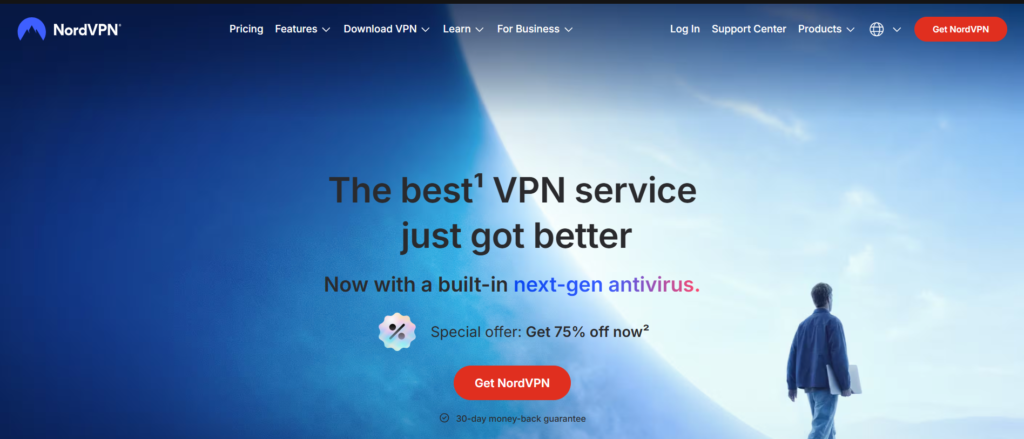
If you’re looking for the best overall value, the NordVPN Chrome Extension is an outstanding choice. It protects your Chrome browser traffic, making everyday browsing, online shopping, banking, streaming, and public Wi-Fi more secure.
Advanced encryption and a strict no-logs policy make NordVPN a trusted choice for secure browsing. The extension also includes WebRTC leak protection and Threat Protection for enhanced privacy and safer browsing.
NordVPN’s large global server network ensures fast, secure, and reliable connections across more than 100 countries. The clean design and one-click connection make it both powerful and easy to use.
Advantage of NordVPN:
- Strong privacy protection with a strict no-logs policy
- Secure AES-256 encryption for safer browsing
- Fast and reliable browsing performance
- Thousands of high-speed servers across 100+ countries
- Lightweight, user-friendly Chrome browser extension
- Great for streaming, public Wi-Fi, and everyday browsing
Disadvantage of NordVPN:
- Not suitable for users looking for a completely free VPN.
- Some advanced features, including full-device protection, require the NordVPN desktop application.
Pricing of NordVPN
NordVPN makes it easy to choose the right plan with flexible monthly, annual, and long-term subscription options.
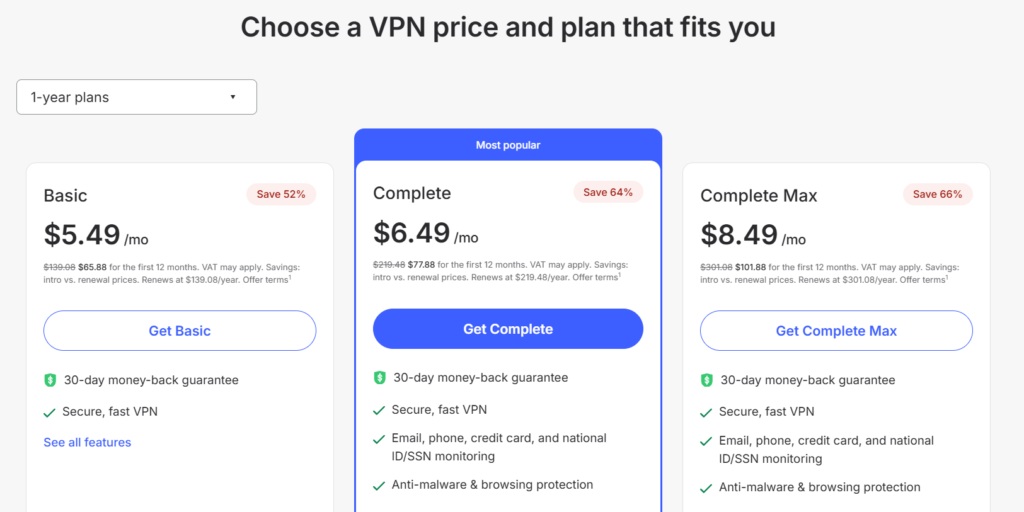
The monthly subscription starts at approximately $5.49, while longer plans offer greater savings and a 30-day money-back guarantee.
Best for: For users who prioritize privacy without sacrificing speed, NordVPN is the best overall VPN Chrome extension.
#2. ProtonVPN – Best for Privacy
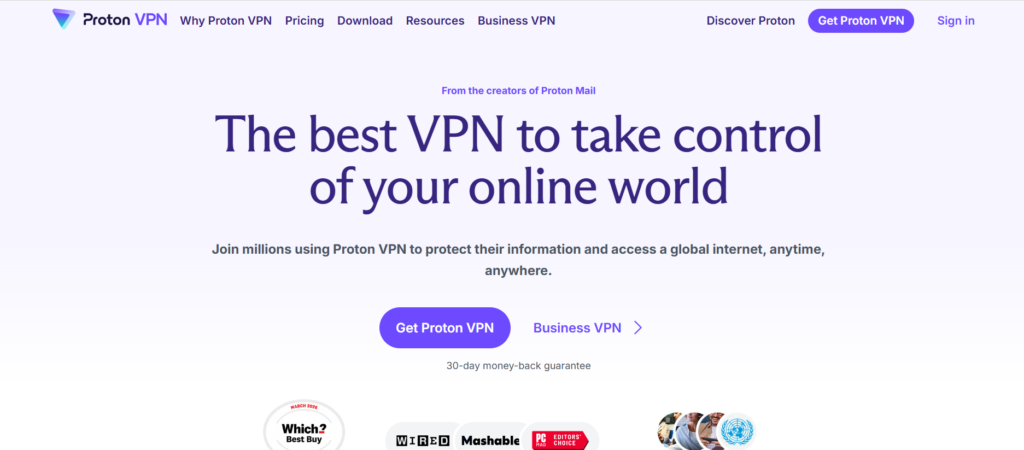
Trusted by millions of users worldwide, the Proton VPN Chrome Extension offers exceptional privacy for everyday browsing. It helps keep your browsing private by encrypting your browser traffic, hiding your IP address, and defending against third-party tracking.
Enjoy secure browsing and better online privacy with Proton VPN. The generous free plan makes it an excellent choice for users on a budget.
Advantage of ProtonVPN:
- Excellent privacy and security features
- Strict audited no-logs policy to protect your privacy.
- Free plan available with no data limits.
- User-friendly Chrome extension with an intuitive interface
- Reliable high-speed servers in multiple countries
Disadvantage of ProtonVPN:
- Premium servers and advanced features require a paid subscription.
- Smaller server network than some leading competitors.
Pricing of ProtonVPN
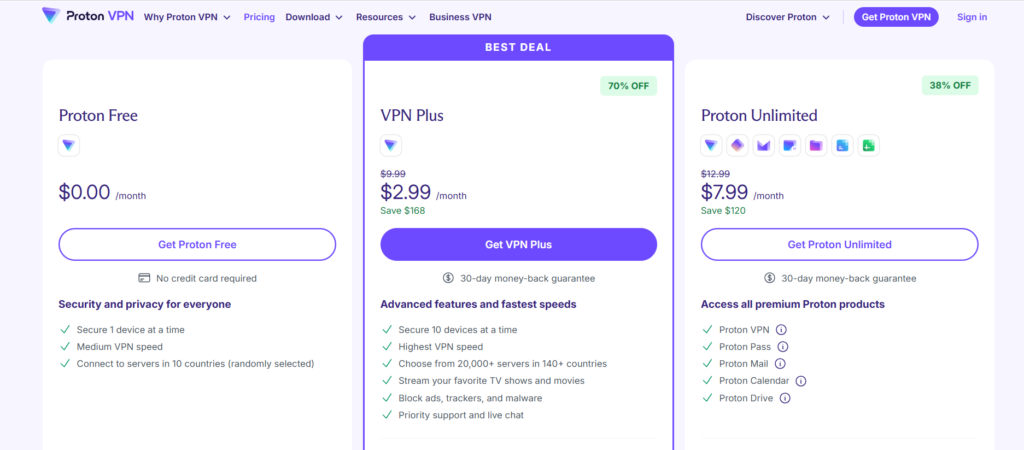
- Free Plan: Available with unlimited bandwidth and limited server locations.
- VPN Plus: Starts at approximately $2.99/month, with significant savings available on annual and two-year plans.
Best for: Perfect for students, travelers, and remote workers who need secure browsing and a reliable free VPN.
3. ExpressVPN – Best for Speed and Reliability
Designed for speed and privacy, the ExpressVPN Chrome Extension offers fast, reliable performance with strong security. Its simple interface makes secure browsing quick and effortless.
The ExpressVPN Chrome Extension pairs with the desktop app to provide secure browsing with strong encryption, leak protection, and location spoofing.
From streaming to secure browsing, ExpressVPN delivers dependable performance through servers in 105+ countries. Its user-friendly design makes staying protected easy.
Advantage of ExpressVPN
- Ultra-fast servers for seamless browsing and streaming
- Military-grade AES-256 encryption with an independently audited no-logs policy
- Excellent performance for streaming and geo-restricted content
- Simple, beginner-friendly Chrome extension with WebRTC leak protection
Disadvantage of ExpressVPN
- More expensive than many competing VPN services
- Requires the ExpressVPN desktop app to use the Chrome extension
Pricing of ExpressVPN
ExpressVPN offers flexible subscription options, with the monthly plan starting at approximately $12.95. Long-term plans provide better value, and every subscription is backed by a 30-day money-back guarantee.
Best for: Perfect for secure browsing, streaming, and protecting your data on any network.
4. Surfshark – Best Budget-Friendly Premium VPN
The Surfshark Chrome Extension is a great choice for users seeking affordable privacy without compromising on speed or security. It protects your browser traffic and hides your IP address.
Surfshark’s global servers provide secure connections for browsing, streaming, and accessing content from around the world. Its no-logs policy and built-in privacy tools help reduce online tracking.
For users seeking premium protection at an affordable price, Surfshark is an excellent all-around choice.
Advantage of Surfshark
- Excellent browsing and streaming performance worldwide
- Unlimited simultaneous device connections with a single subscription.
- Robust AES-256 encryption backed by a verified no-logs policy
- Advanced browser privacy tools, including WebRTC leak protection
Disadvantage of Surfshark
- Full security features require installing the desktop VPN app.
- The monthly subscription is less cost-effective than longer-term plans.
Pricing of Surfshark
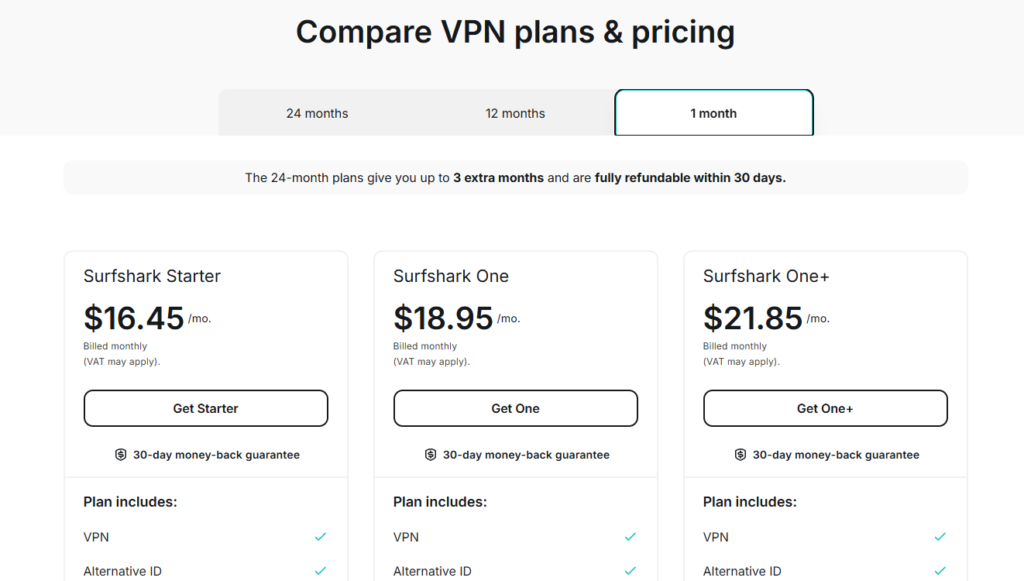
Surfshark’s monthly plan starts at approximately $15.45, while long-term subscriptions reduce the monthly cost considerably. All plans include a 30-day money-back guarantee.
Best for: A great choice for users who want reliable privacy, fast connections, and outstanding value.
5. CyberGhost – Best for Streaming and Beginners
The CyberGhost Chrome Extension makes online privacy easy with its beginner-friendly design and one-click connection. Premium plans unlock faster speeds, global servers, and enhanced security.
With strong encryption, IP masking, and a strict no-logs policy, CyberGhost helps keep your online activity private. It’s an excellent choice for streaming, public Wi-Fi protection, and secure everyday browsing.
Advantage of CyberGhost
- Easy-to-use interface with quick setup
- Industry-leading encryption and privacy protection
- Fast and stable premium server performance
- Worldwide server locations for better connectivity
- Excellent choice for first-time VPN users
Disadvantage of CyberGhost
- The free Chrome extension has limited server options
- Some security and privacy tools require the desktop app
Pricing of CyberGhost
CyberGhost provides a free Chrome extension and premium plans to suit different budgets.
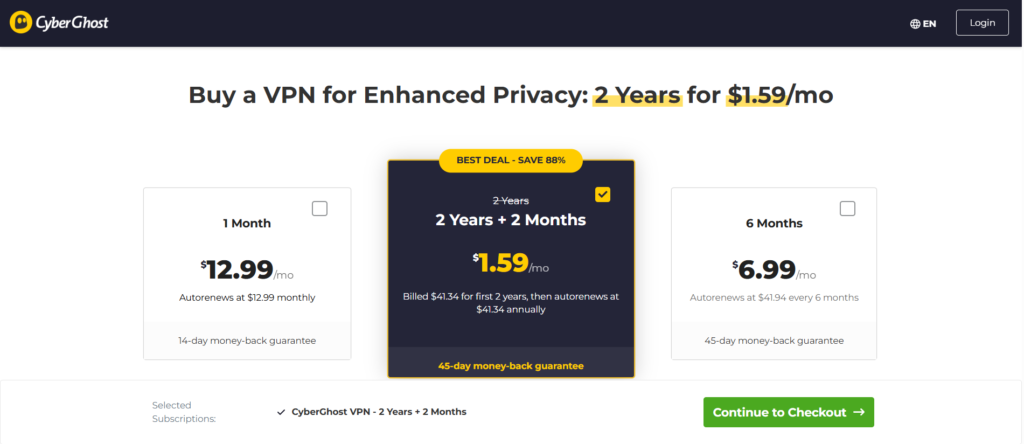
The monthly subscription starts at around $12.99, while long-term plans offer significant savings and a 45-day money-back guarantee.
Best for: Best for hassle-free browsing with strong privacy and security.
6. Private Internet Access – Best for Advanced Security and Customization
Built for secure and customizable browsing, the Private Internet Access (PIA) Chrome Extension protects your browser traffic with strong encryption, IP masking, and WebRTC leak protection while remaining lightweight and easy to use.
PIA protects your online privacy with a strict no-logs policy, strong security, and reliable performance, making it an excellent choice for secure everyday browsing.
Advantage of PIA
- Large global server network for reliable connections.
- Strict no-logs policy with a strong reputation for privacy.
- Built-in WebRTC leak protection and browser privacy features.
- Highly customizable settings for advanced users.
Disadvantage of PIA
- The interface may feel overwhelming for beginners.
- Some advanced security features require the full VPN desktop application.
Pricing of PIA
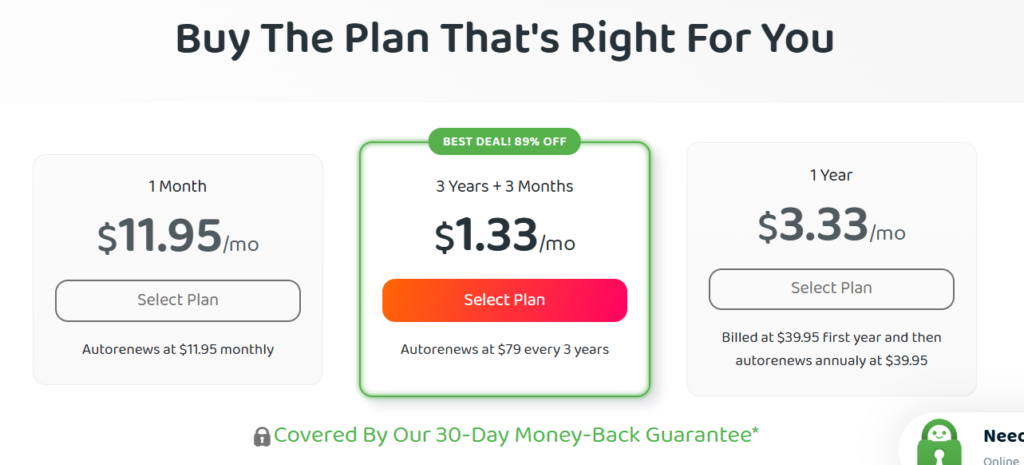
PIA’s monthly subscription starts at around $11.95, while annual and multi-year plans significantly reduce the monthly cost. All subscriptions include premium features and a 30-day money-back guarantee.
Best for: Best for advanced users who want premium privacy, customizable features, and excellent value.
7. Windscribe – Best Free VPN with Advanced Features
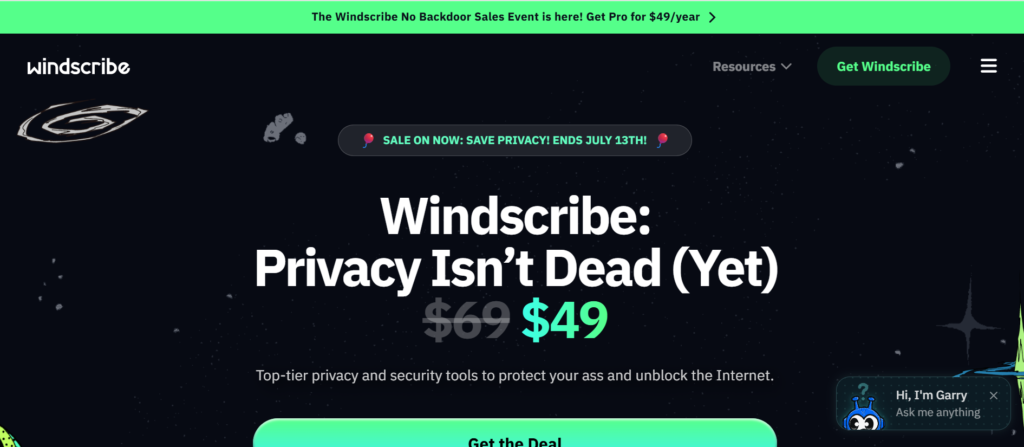
The Windscribe Chrome Extension combines powerful privacy tools with an easy-to-use interface, making it a top choice for free VPN users. It features browser encryption, IP masking, WebRTC leak protection, and ad blocking.
Unlike many free VPN services, Windscribe combines trusted privacy with reliable performance. Its premium plan removes data limits and unlocks more servers and advanced browser protection.
Advantage of Windscribe
- Generous free plan with multiple server locations
- Built-in ad, tracker, and malware blocking
- WebRTC leak protection and secure browser encryption
- Easy-to-use interface with a strict no-identifying-logs policy
Disadvantage of Windscribe
- Free plan includes limited monthly bandwidth
- Some premium servers and advanced features require a paid subscription
Pricing of Windscribe
- Free Plan: Available with limited monthly data and selected server locations
- Pro Plan: Starts at $9.00/month or $69.00/year, with unlimited data, access to all server locations, and premium features.
Best for: Best for users who want one of the best free VPN Chrome extensions with strong privacy and reliable everyday browsing.
How to Choose the Best VPN Chrome Extension
When choosing a VPN Chrome extension, ensure it provides AES-256 encryption or other reliable security protocols for strong protection.
Extra security features, such as WebRTC leak protection, DNS leak prevention, HTTPS enforcement, and tracker blocking, help protect your online identity.
Before choosing a VPN Chrome extension, consider these key factors:
- Security, Privacy, and Encryption – Choose a VPN with AES-256 encryption, WebRTC leak protection, and an independently audited no-logs policy to keep your browsing secure and private.
- Performance and Server Network – A high-speed VPN with an extensive worldwide server network ensures stable connections, faster browsing, and better access to global content.
- Ease of Use and Compatibility – Select a user-friendly extension that’s easy to install, supports Chrome and other major browsers, and offers responsive customer support.
- Features, Pricing, and Value – Compare streaming capabilities, subscription pricing, and money-back guarantees to find the best overall value for your needs.
How to Install and Use a VPN Chrome Extension
A VPN Chrome extension can be installed in just a few clicks. Once enabled, it protects your browser activity, hides your IP address, and strengthens your online privacy.
Follow the steps below to get started with secure browsing in only a few minutes.
Step 1: Choose a Trusted VPN Provider
Before installing a VPN, compare trusted providers that offer robust security, fast servers, and transparent privacy policies. Always download the extension from the official Chrome Web Store.
Step 2: Install the Chrome Extension
Go to the Chrome Web Store, search for your VPN provider, and click Add to Chrome. The extension will install in seconds and appear in your browser toolbar.
Step 3: Sign In or Create an Account
Open the VPN Chrome extension and sign in to your account. If you’re a new user, create an account in minutes and choose the plan that best matches your needs.
Step 4: Connect to a VPN Server
Connect to a server based on your preferred location or browsing needs. You can also use Quick Connect for the fastest available connection with a single click.
Step 5: Customize Privacy Settings
Maximize your online privacy by enabling these security features:
- WebRTC leak protection
- Tracker and ad blocking
- HTTPS enforcement
- Auto-connect (if available)
These tools help prevent data leaks, minimize online tracking, and deliver a safer, more private browsing experience.
Step 6: Start Browsing Securely
With your VPN connected, you can browse with greater confidence knowing your browser traffic is encrypted and your IP address is protected. Enjoy a safer and more private online experience.
By following these steps, you can set up a VPN Chrome extension in just a few minutes and enjoy a safer, more private browsing experience every day.
Benefits of Using a VPN Chrome Extension
A VPN Chrome extension provides an easy way to improve your online privacy and browse more securely.
Some of the key benefits include:
- Encrypts browser traffic and hides your IP address.
- Secures public Wi-Fi from hackers and cyber threats.
- Reduces online tracking by websites and advertisers.
- Accesses geo-restricted content through global servers.
- Blocks WebRTC leaks and enhances browser security.
- Easy one-click setup with a beginner-friendly interface.
- Fast, lightweight protection for everyday secure browsing.
Most People Ask Questions:
Is a Chrome VPN extension safe?
Yes. Trusted VPN Chrome extensions provide secure browsing when installed from verified providers through the official Chrome Web Store.
Can I use a free VPN Chrome extension?
Yes. Free VPN Chrome extensions can improve your online privacy, but they often come with monthly data limits, limited server access, and fewer advanced features than premium subscriptions.
Are Free VPN Chrome Extensions Safe?
Free VPN Chrome extensions vary widely in quality. Trusted providers can be safe, but many free VPNs monetize by collecting user data or showing ads. Premium VPNs generally provide stronger privacy and security.
Does a Chrome VPN hide my IP address?
Yes. VPN Chrome extensions conceal your real IP address, helping protect your identity and making it harder for websites to determine your location.
What’s the difference between a VPN extension and a full VPN?
A VPN Chrome extension encrypts and protects only your browser traffic, while a full VPN application secures your entire device by encrypting internet traffic from all apps, browsers, games, and online services.