Complete On-Page SEO Checklist for WordPress Beginners: The Ultimate Blog Guide

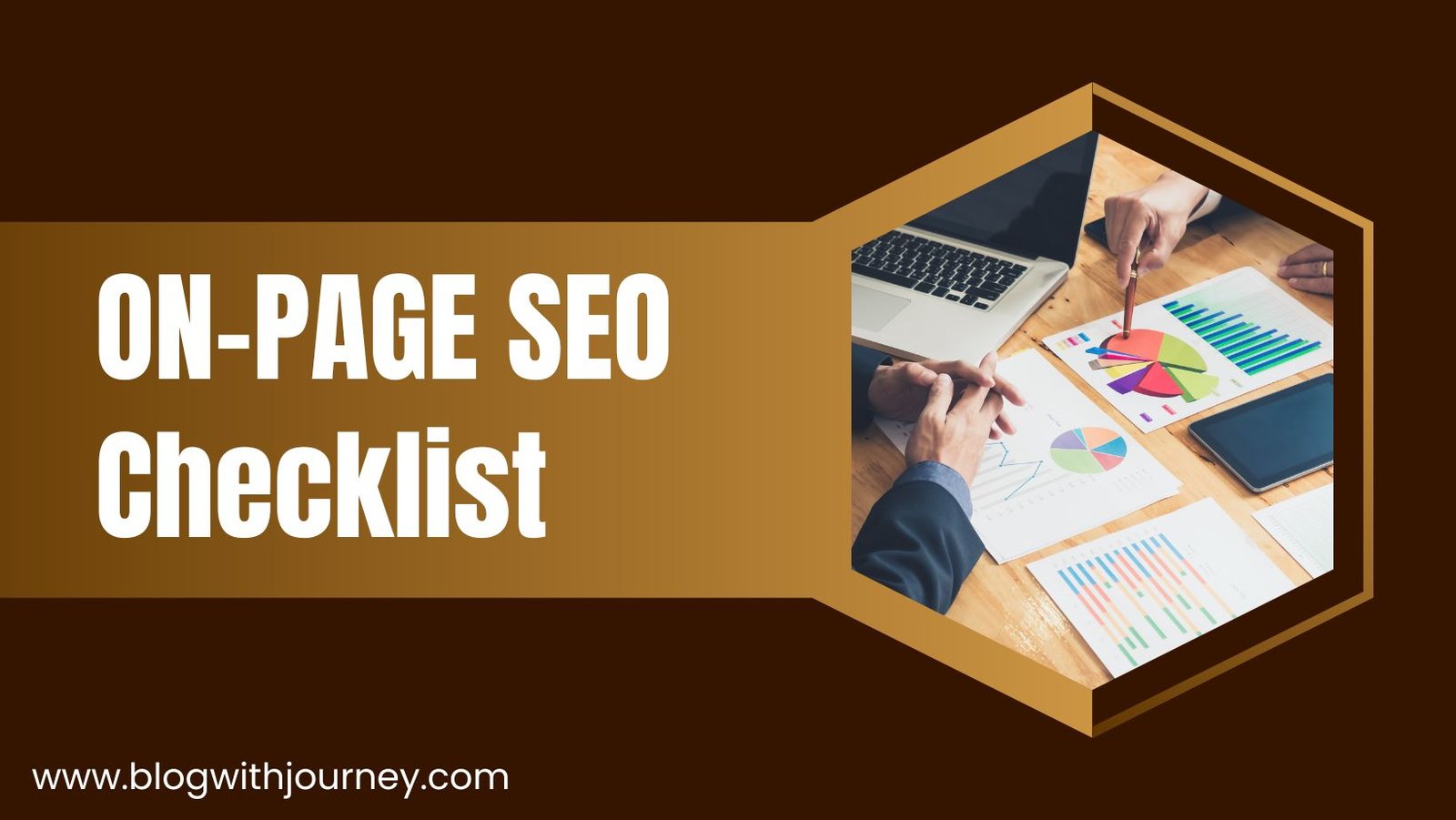
If you’re starting a WordPress blog and finding it hard to attract traffic, this on-page SEO checklist can transform your blogging journey. Many beginners publish content regularly but still experience little to no traffic growth because they overlook important on-page SEO optimization.
A solid on-page SEO plan helps Google crawl, understand, and rank your content more effectively. Without proper optimization, your blog posts might not reach their full traffic potential.
Even if your website is brand new, you still have a chance to rank on Google. An effective on-page SEO strategy helps search engines better understand your content and improves your visibility over time.
In this complete beginner-friendly guide, you will learn a proven on-page SEO checklist used by top-ranking blogs to enhance visibility, increase clicks, and rank higher in Google search results.
What is On-Page SEO in WordPress?
On-page SEO focuses on optimizing your blog content and HTML elements to help Google better understand and rank your website in search results. It focuses on everything you control inside your website to improve visibility in search results.
When you properly apply an on page SEO strategy for WordPress, you make your content more structured, readable, and search-engine friendly. This directly increases your chances of ranking higher and getting consistent organic traffic.
Here are On-page SEO includes important elements such as:
- Title optimization
- Keywords placement
- Content structure
- Images SEO
- Internal linking
- Meta tags
A properly optimized on-page SEO structure helps Google recognize the value of your content and rank it for relevant searches. That is why following an effective on page SEO checklist for WordPress beginners is so important.
Why On-Page SEO is So Important in 2026
In 2026, just publishing blog posts won’t be enough to rank on Google. Modern search engines focus on well-organized, user-friendly, and properly optimized content. Without good on-page SEO, your website may have a hard time attracting steady organic traffic.
When you follow a proper on-page SEO checklist for WordPress, your content becomes more friendly to search engines and easier to rank. It improves crawling, increases visibility, and helps bring in consistent traffic over time.
Most importantly, better rankings and more traffic create more chances to make money from your blog through ads, affiliate marketing, sponsored posts, and lead generation.
Step 1: Set Up a Powerful WordPress SEO Foundation
A strong SEO foundation is crucial for a successful WordPress blog. Because a good SEO foundation helps Google understand your content better. Even good quality content cannot produce the expected results if it is poorly setup.
A poorly optimized website can limit your rankings, traffic, and overall SEO growth. This is why building a strong on-page SEO foundation is the most important first step for WordPress beginners.
For beginners, the goal is to create a fast, clean, and search-engine-friendly website from day one. This directly improves your chances of ranking faster and generating consistent organic traffic over time.
Essential SEO Setup Checklist:
- Use a fast and lightweight theme (Astra, Kadence, GeneratePress)
- Install a reliable SEO plugin like (Yoast SEO or Rank Math)
- Enable SEO-friendly permalinks for clean URLs
- Connect Google Search Console for indexing and performance tracking
- Install a caching plugin (LiteSpeed Cache or WP Rocket) to improve speed
👉 A slow or poorly structured setup can hold your rankings back before you even begin.
Step 2: Find Low-Competition Keywords
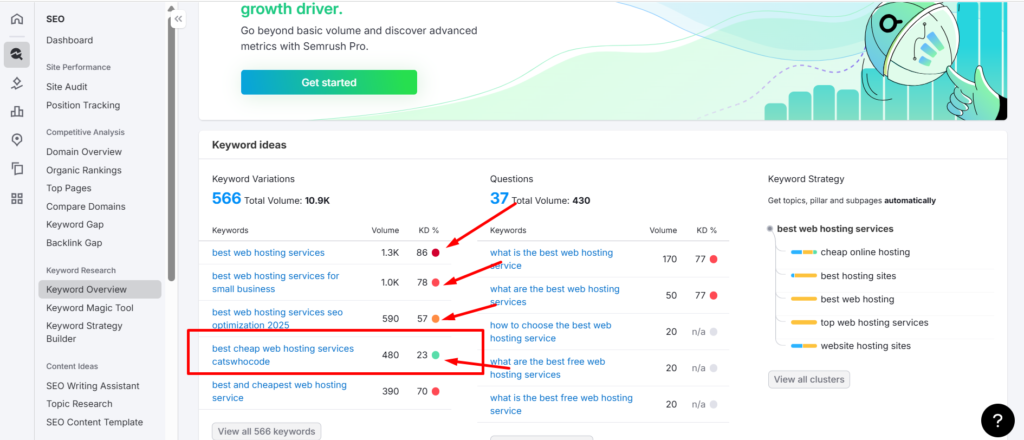
Keyword research is a key part of on-page SEO because it directly affects your ability to rank on Google.Many beginners choose keywords that are too difficult for new websites to rank.
Always focus on low-competition and long-tail keywords. For example, instead of “web hosting” (very competitive), use “best web hosting services for beginners”.
These keywords are easier to rank on Google, attract targeted visitors, and convert better for affiliate marketing, ads, and leads. They also have clear search intent, helping Google understand your content and rank it faster—even for new websites.
Best Free & Paid Keyword Research Tools:
- SEMrush — Premium SEO tool with a 7-day free trial and powerful keyword research features
- Ahrefs — Popular premium tool for keyword research, backlinks, and SEO analysis
- AnswerThePublic — Premium tool for finding question-based and long-tail keyword ideas
- Google Autocomplete (free)
- Google Trends (free)
- Ubersuggest (free)
Smart keyword research improves every part of your SEO strategy. It increases your chances of ranking higher on Google, attracts the right audience, and supports long-term income growth. That is why it is a core step in on-page SEO for beginners.
Step 3: Optimize Your Blog Post Title (H1)
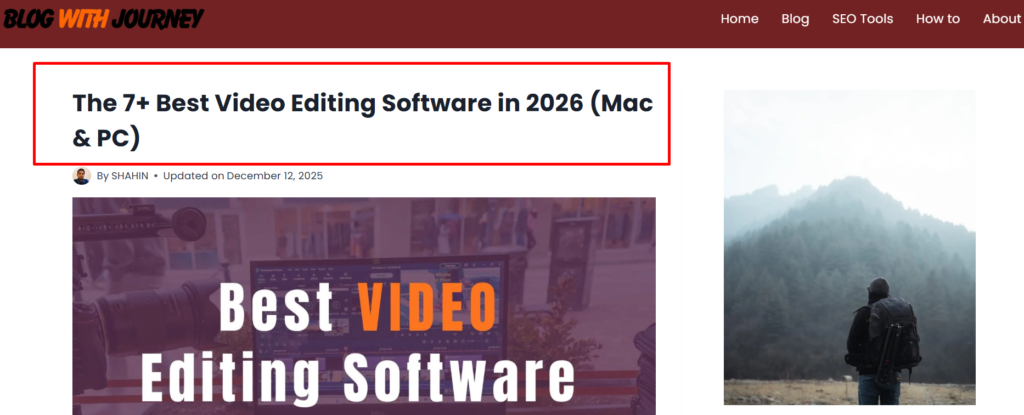
A strong blog post title is one of the most important parts of on-page SEO. It helps Google quickly understand what your page is about and also encourages users to click on your content in search results.
A well-written title can improve your click-through rate (CTR), increase visibility, and boost your chances of ranking higher on Google. Even high-quality content may not perform well if the title is weak, unclear, or not properly optimized.
A good SEO title should include your main keyword naturally and remain easy to read. It should attract attention, match user intent, and stay under 60 characters to ensure better visibility in Google search results.
✔ SEO Title Examples:
- How to Start a Blog in 2026: 9 Simple Steps for Beginners
- The 7+ Best Video Editing Software in 2026 (Mac & PC)
- Top 15+ Best Affiliate Programs in 2026 (High-Paying)
Try to place your main keyword at the beginning of your title whenever possible. It helps search engines quickly understand your topic and improves keyword relevance.
Step 4: Write SEO-Friendly URLs (Permalinks)
Your URL is one of the first signals Google uses to understand your page. A clean, keyword-rich permalink improves SEO and user experience. It also helps your content rank more effectively.
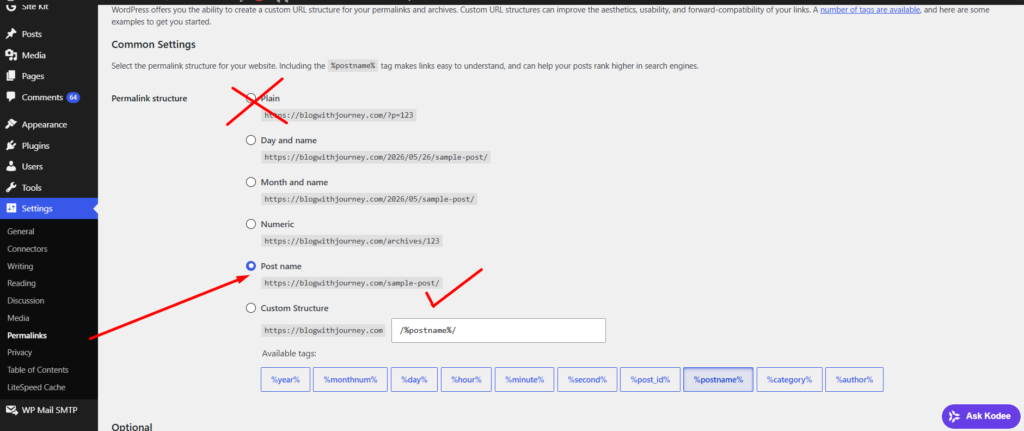
Good vs Bad URL Example:
✔ Good: https://blogwithjourney.com/how-to-start-a-travel-blog/
❌ Bad: yourdomain.com/index.php?id=123&post=seo
A good SEO URL is short, clear, and directly reflects the main topic of the page. It should include your target keyword naturally and use hyphens for readability. Avoid extra words like “and”, “the”, or “of” to keep the URL clean and search-friendly.
Step 5: Meta Title and Meta Description Optimization
Meta titles and meta descriptions are important on-page SEO elements that control how your page appears in Google search results. They directly affect whether users click on your link or choose a competitor instead.
Good meta tags and descriptions improve Click-Through Rate, increase visibility in search results, and help Google understand your content better. That is why meta optimization is a powerful step for improving rankings and generating more organic clicks.
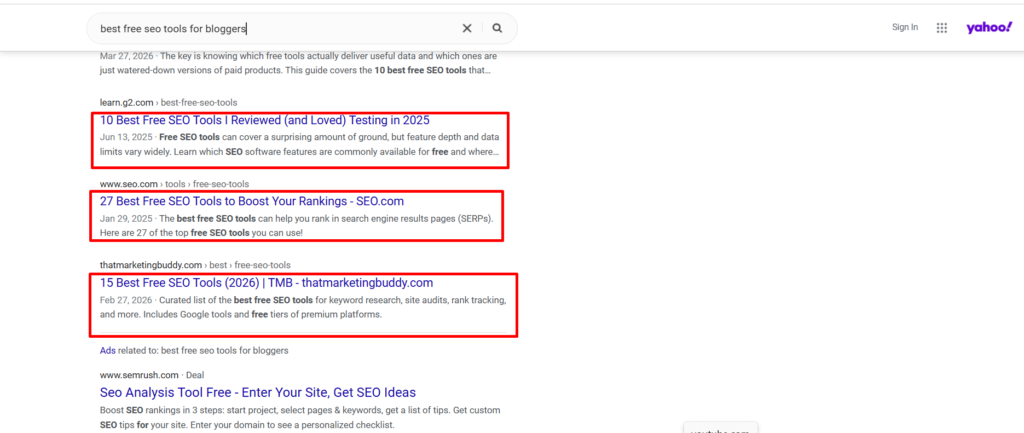
A good On-page seo meta title should be short, clear, and include your main keyword naturally. Keep it under 60 characters so it is fully visible in Google search results without being cut off.
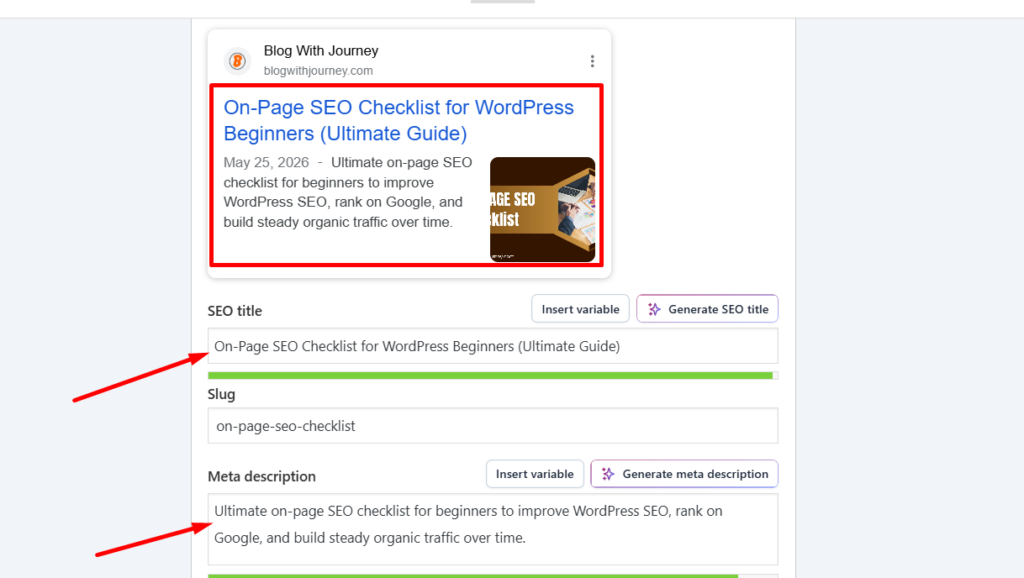
Your meta description should be around 145–160 characters and clearly explain the main benefit of your content. Always include your focus keyword and a strong reason that encourages users to click.
Step 6: Proper Use of Heading Structure(H1, H2, H3…)
Using a proper heading structure improves both SEO and readability. It helps Google understand your content hierarchy and makes your article easier for visitors to read and navigate.
A well-organized heading structure also makes your content easier for readers to follow. It helps search engines understand your main topics clearly and can improve your search visibility.
How to Use Headings Properly
- H1 Tag → Use only one H1 tag for your main blog post title. For example: How to Use ChatGPT for Affiliate Marketing (Complete Guide for Beginners)
- H2 Tags → Use H2 tags for the main sections of your content. For example: Benefits of Using ChatGPT in Affiliate Marketing
- H3 Tags → Use H3 tags for subtopics under H2 headings. For example: Step #1. Keyword Research Using ChatGPT
- H4–H6 Tags → Use these only when deeper content structure is needed
Clean and structured headings improve readability and help search engines quickly understand your content hierarchy. Include keywords naturally and avoid excessive keyword repetition. A strong heading structure improves readability, engagement, and SEO performance.
Step 7: Content Optimization for SEO
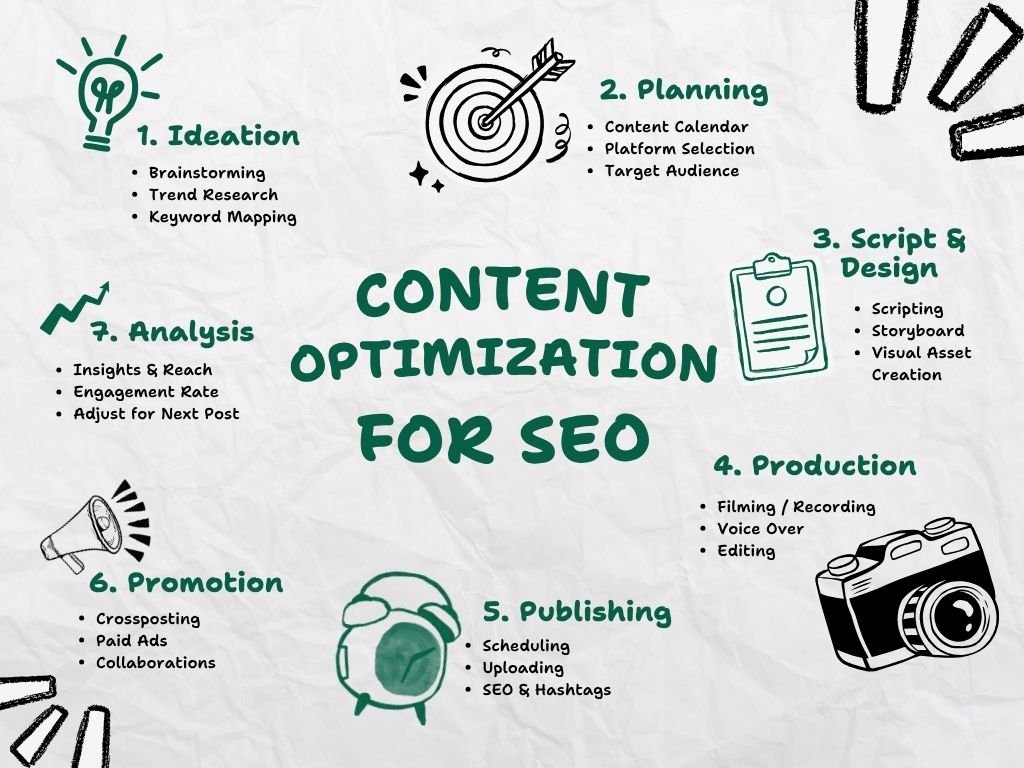
Content optimization is an important part of any on-page SEO checklist for WordPress. Google prefers helpful, well-structured, and user-focused content that clearly answers search intent and provides real value to readers.
Use your main keyword throughout the article, including the title and introduction. Keep paragraphs short, and use clear headings and simple language to make it easier to read and improve SEO performance.
Good content optimization helps Google understand your topic better, increases engagement, and boosts your pages’ rankings. It also brings in more organic traffic and supports long-term growth.
Step 8: Image SEO Optimization (Hidden Traffic)
Many beginners ignore image SEO, but it can generate extra traffic from Google Images. It is an important and easy part of any on page SEO checklist for WordPress beginners.
Google cannot “see” images like humans, so it relies on signals such as file names, alt text, image size, and format to understand them. Proper image optimization helps improve page speed, boost rankings, and increase chances of appearing in image search results.
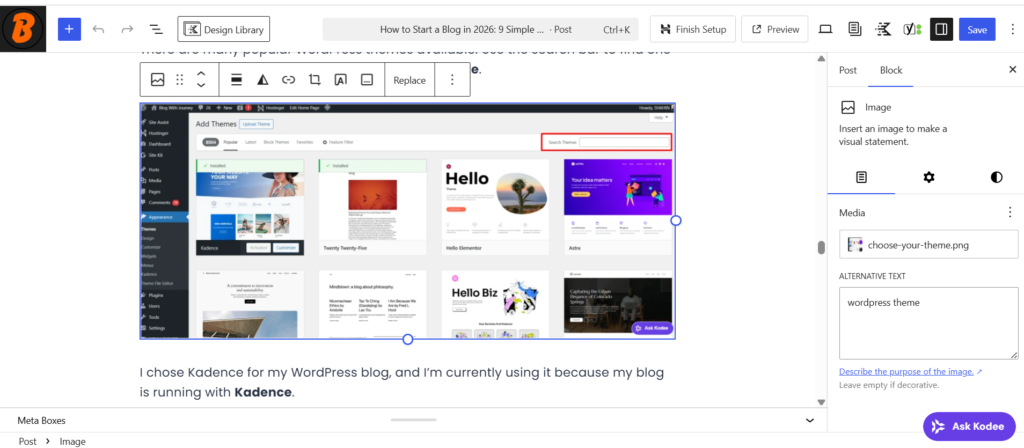
Good image SEO uses clear file names and descriptive ALT text. Example of Good Image SEO
❌ File name: IMG12345.jpg → ✔ type of image name like (choose your theme.jpg)
❌ Alt text: “image” → ✔ “On-page SEO checklist for WordPress beginners guide”
To improve image SEO, compress images, rename files with relevant keywords, and use meaningful ALT text. Also use lightweight formats like WebP, JPG, or PNG for better loading speed.
Step 9: Internal Linking Strategy (Ranking Booster)
Internal linking is an important step in the on-page SEO checklist. It helps search engines understand your content structure and guides users to relevant articles. This improves overall user experience and SEO performance.
Good internal linking helps increase page authority, improve SEO, and boost ranking opportunities. Always link related articles naturally using clear anchor text instead of generic phrases like “click here.”
Example of Good Internal Linking
❌ “Click here to read more”
✔ “Learn how to optimize WordPress SEO titles”
Add internal links naturally throughout your content, especially to important pages you want to rank. This helps search engines crawl your site more effectively and distributes SEO value across your pages.
Step 10: Use External Links for Trust
External links are an important part of on-page SEO checklists that help build trust, authority, and credibility. Linking to high-quality websites shows Google that your content is reliable and well-researched, which can improve SEO performance.
They improve user experience by giving readers helpful and reliable resources. Always link to trusted, relevant websites and make sure the links feel natural and add real value.
Step 11: Improve Page Speed (Ranking Factor)
Page speed is an important factor in Google rankings and a key part of on-page SEO that helps in getting rankings faster. Fast-loading websites rank better, improve user experience, and keep visitors engaged longer.
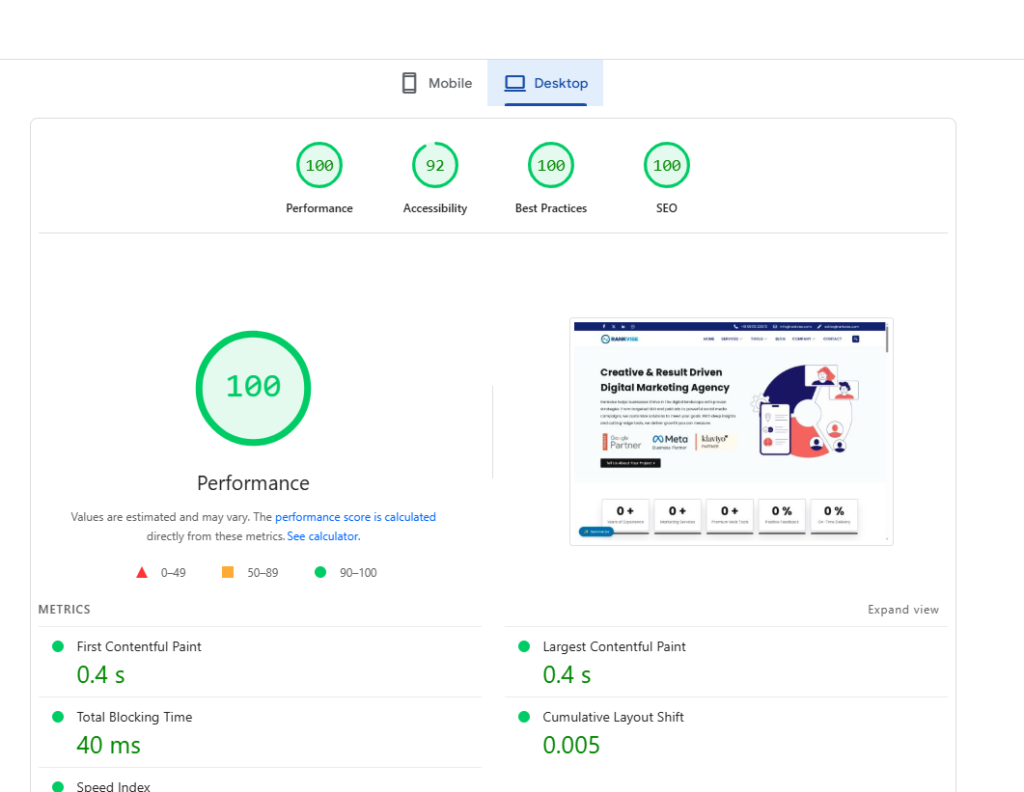
Google values fast websites because users prefer pages that load quickly. Improved page speed helps boost engagement, user satisfaction, and overall SEO results.
Improve website speed by using a lightweight WordPress theme(astra, kadence, generatepress) compressing images, and enabling caching. Also reduce extra plugins and use a CDN with good hosting for better SEO results.
Step 12: Mobile Optimization is Mandatory
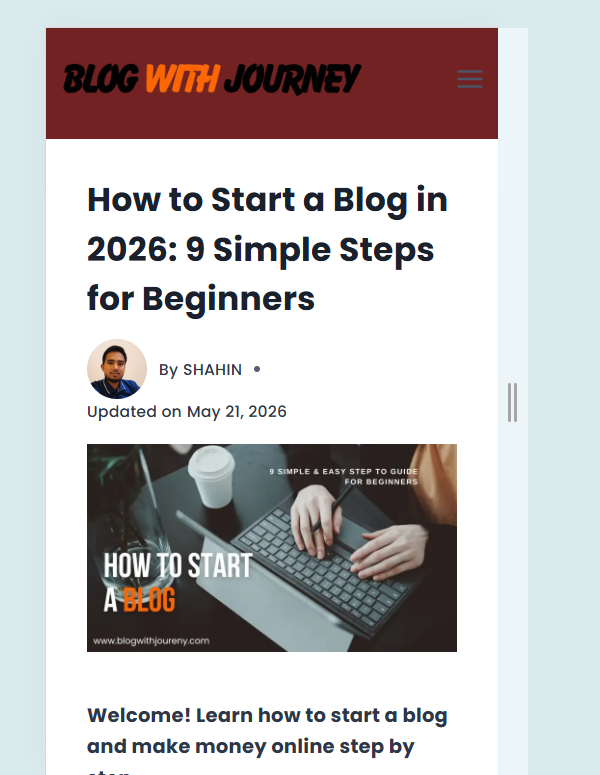
Mobile optimization is a key part of WordPress on-page SEO checklist because most users now browse websites on mobile devices. If your site is not mobile-friendly, you can lose both traffic and rankings, no matter how good your content is.
Google uses a mobile-first indexing system, which means it mainly evaluates the mobile version of your website for ranking. So if your mobile experience is slow, broken, or difficult to navigate, it directly affects your SEO performance and search visibility.
A good mobile website loads fast, fits all screen sizes, and provides easy navigation. Using a responsive WordPress theme and testing your site on different devices can significantly improve performance, user experience, and overall SEO results.
📊 Step 13: Add Schema Markup & Rich Snippets
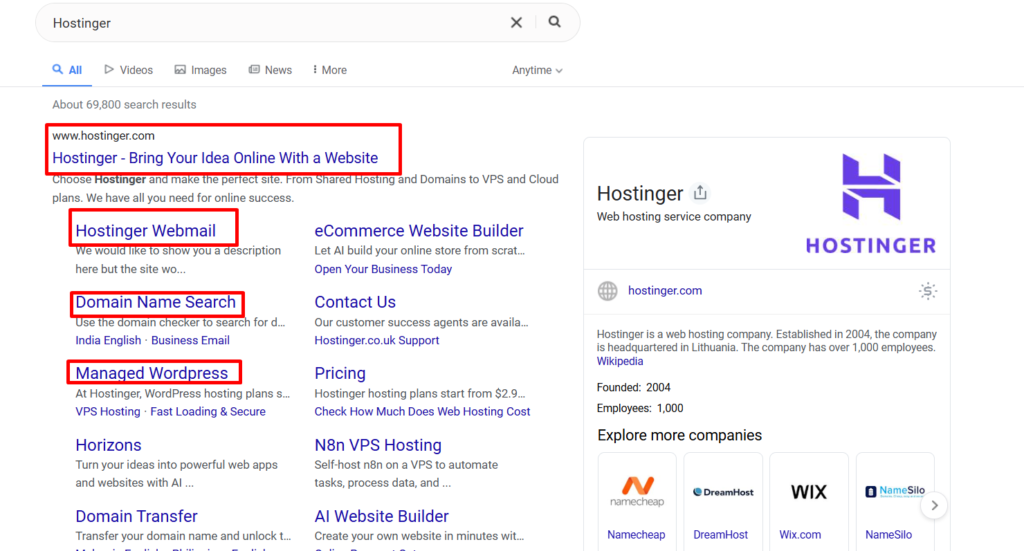
Schema markup is a powerful WordPress on-page SEO technique that helps search engines better understand your website’s content. It improves your page’s display in search results and increases overall visibility and click-through rate (CTR).
When you implement schema markup correctly, Google may display rich snippets like ratings, FAQs, reviews, and breadcrumbs in search results. These enhanced listings make your content more noticeable, improve CTR, and help you stand out from competitors.
Common Types of Schema Markup
- Article Schema → For blog posts and guides
- FAQ Schema → For question-and-answer sections
- Review Schema → For ratings and reviews
- Product Schema → For affiliate and product pages
- Breadcrumb Schema → Improves site navigation in search results
- Organization Schema → Helps identify your website or brand
Using schema markup helps improve search results, increase clicks, and make your content easier for Google to understand. It also improves SEO visibility and performance. Plugins like Rank Math or Yoast allow easy setup without coding.
Step 14: Improve User Experience (UX SEO)
User experience plays a major role in on-page SEO. A good UX ensures your site is easy, fast, and helpful for users. This improves engagement and helps boost search rankings.
When users can smoothly navigate your site, read content easily, and find information quickly, they are more likely to stay engaged. Improve UX with clean design, simple navigation, fast loading speed, mobile-friendly pages, and well-structured content. This enhances SEO performance, user engagement, and conversion rates.
15. On-Page SEO Checklist (Final Summary)
Every successful WordPress website depends on strong on-page SEO. When you optimize your content properly, Google can understand your pages more easily and users enjoy a better experience. This leads to improved rankings and higher organic traffic.
A complete on-page SEO strategy focuses on titles, URLs, headings, meta tags, content, images, internal linking, page speed, schema markup, and user experience. Together, they enhance visibility, improve CTR, and strengthen authority in search results. Omitting any step can weaken your SEO performance.
In simple words, on-page SEO is about improving both rankings and user experience. A fast, mobile-friendly, and valuable website gets better visibility in search results. Regular optimization is essential for long-term SEO success.